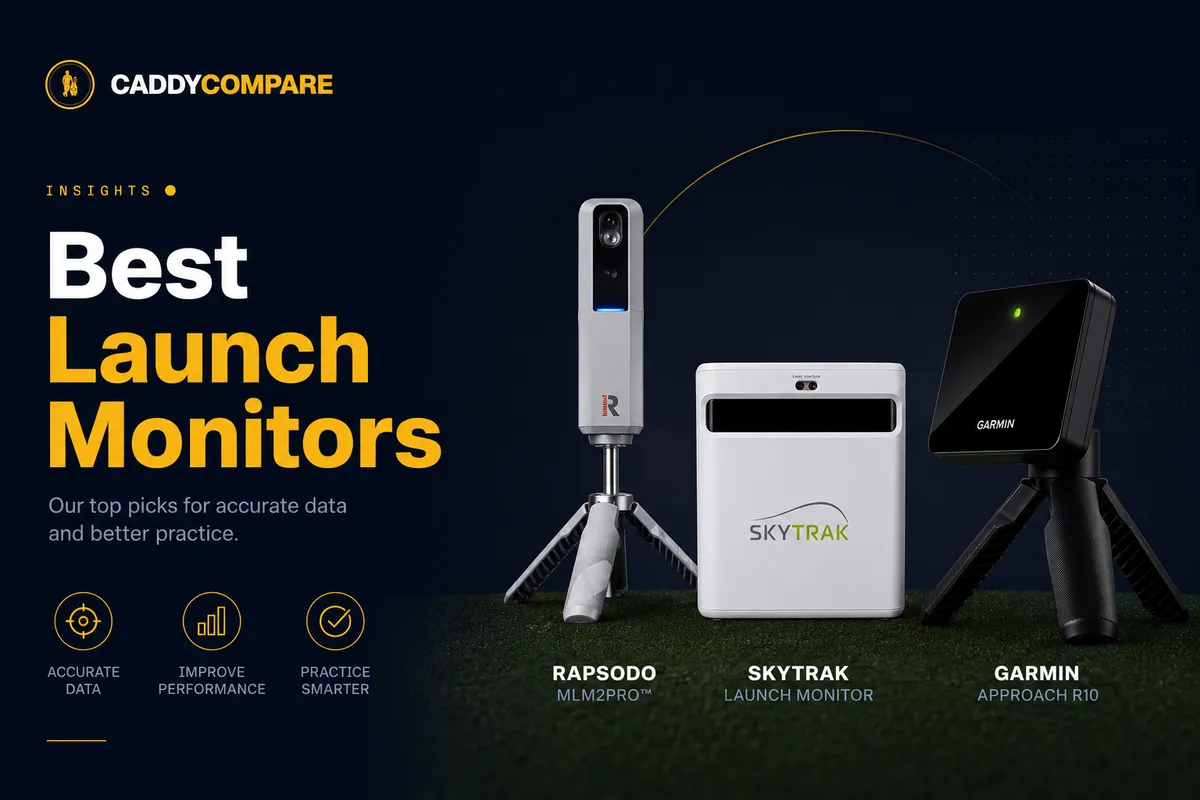
What is a golf launch monitor, and which numbers actually matter?
What a golf launch monitor actually does: how radar and camera units work, what every number on the screen means, where a launch monitor ends and a simulator begins, the subscription catch, and three launch monitors worth buying, including the FlightScope Mevo.
Get fitted for a driver these days and there's a fair chance the fitter spends more time looking at a screen than at your swing. The screen is being fed by a small box sitting a foot behind the ball, and that box is a launch monitor. Ten years ago you only met them in tour trucks and fitting bays. Now plenty of club golfers own one and keep it in the garage.
This is for anyone weighing up their first. We'll go through what a golf launch monitor actually measures, the two completely different ways units pull it off, what each number on the screen is telling you (and which ones to take with a pinch of salt on a cheap unit), where it stops being a launch monitor and starts being a simulator, the subscription question that catches people out, and three units we'd spend our own money on at three very different prices.
How a golf launch monitor works
Every launch monitor is chasing the same answer: what happened to the club and ball at impact? They just get there two completely different ways, and which one you buy decides where you can actually use it.
Doppler radar units fire a microwave signal and read how it shifts as the club and ball move through it. Same effect that drops the pitch of a siren as it tears past you. Radar follows the ball through real flight, so it wants room and is happiest outdoors or down a deep net. Most of the portable units live here: the Garmin, the radar-based Rapsodo, FlightScope's Mevo.
Photometric units skip the flight altogether. A burst of high-speed cameras photographs the ball and club at the moment of the strike and reads speed, angles and spin straight off the dimples. Because they only need to see impact, they're at home in a cramped room where radar would be gasping for distance. The premium home and fitting units work this way: SkyTrak, Foresight, the Bushnell Launch Pro. A few of the newer units run both at once.
Why does this matter before you've so much as glanced at a price? Because the unit has to fit your space, not the other way round. If you're hitting into a net in a single garage, a camera (or camera-and-radar) unit stays calm and accurate where radar alone gets twitchy and starts filling in the gaps.
The numbers a launch monitor gives you
A screen full of figures is a lot to take in the first time. It needn't be. They sort into three jobs, and on cheaper units a handful are clever estimates rather than direct readings, which is worth knowing before you trust them to two decimal places.
Speed and efficiency
- Ball speed. How fast the ball comes off the face, and the number that matters most for distance. If you only ever watched one figure, watch this one.
- Club head speed. How fast the head is travelling at impact. It's the engine, and it caps how much ball speed you can ever produce.
- Smash factor. Ball speed divided by club speed. A flushed driver is around 1.50; sit well below that and you're leaking energy somewhere in the hit.
Launch and flight
- Launch angle. The angle the ball climbs away on. Too low and it nosedives, too high and it floats up and goes nowhere.
- Spin rate. Backspin, in rpm. It holds the ball up and stops it on the green, but pile too much on with a driver and you'll watch the yards drain away.
- Carry distance. How far it flies before it lands. This, not the total once it's rolled out, is the number you plan a shot around.
Direction and strike
- Spin axis. How far the spin tilts, left or right. Your draw, fade, slice and hook, boiled down to a single figure.
- Club path. Which way the head is travelling through the ball, in-to-out or out-to-in. It's behind most of the shapes you hit, the good ones and the ugly ones.
- Face angle. Where the face is pointing at impact. Put it together with club path and you've got why the ball started where it did.
- Angle of attack. Whether you caught it on the way down or the way up. Down with the irons, up with the driver, and a sneaky few yards in it either way.
Launch monitor vs golf simulator
People throw the two words around as if they're the same thing. They aren't, and the gap between them is money.
A launch monitor measures your shot and hands you the numbers. A golf simulator is that same launch monitor wired into software, a hitting screen or net and usually a projector, so the shot you just hit flies down the 18th at Pebble on the wall in front of you.
So every simulator has a launch monitor buried inside it, but a launch monitor on its own is only the measuring half. The handy part is that most units today can grow into a simulator later once you add the screen and the software, which is exactly why "could this run a sim one day?" is worth asking even when all you want right now is range numbers. A radar unit in a tight room makes a poor simulator. A camera unit takes to it happily.
Do you need a subscription?
Here's the one that stings people after the box is open. The plain range numbers are free on more or less every unit. What tends to sit behind a paid tier is the good stuff: your full shot history and trends, the simulator courses, and on some units the sharper data and the video.
It varies by brand and they change the terms, so check before you pay rather than after. The honest shape of it: a budget radar unit gives you a genuinely useful free experience for hitting balls and reading numbers, and the subscription is what buys you virtual courses and a deep history. If a launch monitor with no subscription is a hard line for you (and judging by how often people search for exactly that, it is for a lot of golfers), make it your first filter and read today's small print, because which features are locked away keeps moving.
How much should you spend?
Three rough bands, and the jumps between them are real money for real differences.
- Entry, roughly £200 to £500. Portable, app-driven, radar or camera-and-radar. The Rapsodo MLM and MLM2 Pro, Garmin's Approach R10, and newer budget cameras like Square Golf. Brilliant for range feedback; just remember the spin and path numbers are usually estimated.
- Mid, roughly £1,500 to £3,000. Properly measured data and a unit that can anchor a real home simulator. SkyTrak's units, FlightScope's Mevo+, the Bushnell Launch Pro. This is where serious garages begin.
- Pro, £10,000 and up. Foresight's GCQuad and Trackman. What tour players, club fitters and the telly use, and what people usually mean when they ask what the pros play. Magnificent, and complete overkill for hitting into a net at home.
Launch monitors we'd actually buy
These are the three we'd hand over our own money for right now, one per band. Prices bounce around, so tap through for the current best UK price. If you'd rather see everything, the full launch monitor catalog has the lot our retailers stock.
The portable radar from a trusted name. A compact Doppler unit that reads ball speed, club head speed, smash factor, carry and spin into the FS Golf app, with a video of every shot. Like all radar it wants room, so it's happiest outdoors or down a deep net. The Mevo+ adds full simulator support.
Camera and radar in one box, so you get measured ball numbers and a slow-motion shot video with the data burned on. The free app covers the essentials; the paid tier unlocks the full shot library and simulator courses. The most data per pound on this list, and the one we'd steer most golfers toward.
The home-simulator pick. Dual photometric cameras plus radar make it accurate enough to drive a full simulator, and it works with the major sim software. You pay for that accuracy and most sim features sit behind a subscription, but nothing else here turns a spare garage into a convincing indoor course as well.
The short version, if you're only buying one: the Rapsodo MLM2 Pro is where we'd send most golfers, because camera-and-radar data plus a video of every shot for under £500 teaches you more per pound than anything else here. The FlightScope Mevo is the step up for anyone who wants a portable radar from one of the most trusted names in the category, and the SkyTrak+ is the one to buy when the real dream is a simulator in the garage.
Buying a launch monitor: what to check
- Tape-measure your space first. Radar needs room for the ball to travel (a deep net, or the outdoors); cameras are content in a tight room. Buying radar for a cramped garage is the classic expensive mistake.
- Be honest about measured versus estimated. If you need accurate spin and club path for fitting or proper practice, that's a mid-tier camera unit, not a £400 radar. If you just want trends and feedback, the entry units have you covered.
- Read the subscription terms before you pay. Know exactly what's free and what isn't on the unit you fancy, especially if simulator courses are the plan.
- Ask whether it'll grow into a simulator. Even if range numbers are all you want today, a unit that gets along with sim software saves you buying twice.
- Buy used more carefully than you'd buy a club. These are electronics, with cameras, batteries and sensors that age. A used one can be great value, but check it powers up, pairs to its app and holds a charge, and lean towards a recent generation that still gets software updates.
Frequently asked questions
What is a golf launch monitor?
It's a device that measures what happens to the club and ball at impact and turns it into numbers: ball speed, club head speed, launch angle, spin rate, carry distance and, on the better units, club path and face angle. Golfers use them to practise with real feedback, to get fitted for the right clubs, and as the engine inside a home golf simulator. They run from pocket radar units around £200 to fitting-grade camera systems that cost five figures.
What's the difference between a launch monitor and a golf simulator?
A launch monitor measures your shots and shows the numbers. A golf simulator is that launch monitor plus software, a hitting screen or net and usually a projector, so each shot is played out as a ball flying down a virtual hole. Every simulator has a launch monitor at its core, but a launch monitor on its own is just the measuring device. Most modern units can be turned into a simulator later by adding the screen and software.
Do you need a subscription for a launch monitor?
Usually only for the extras. Basic range numbers are free on almost every unit. Simulator courses, full shot history and trends, and some advanced data or video tend to sit behind a paid tier, and which features are gated varies by brand. If using one without a subscription matters to you, check the current terms for the specific unit before buying, because the free-versus-paid split shifts over time.
What's the best launch monitor under £500?
At that budget the Rapsodo MLM2 Pro is the one most golfers should compare first, with camera-and-radar data plus a shot video for under £500. The cheaper Rapsodo MLM and budget cameras like Square Golf round out the sub-£500 field. They're portable and app-based and give genuinely useful ball-flight feedback, but spin and club-path numbers are often estimated rather than measured directly, so treat them as trend indicators rather than fitting-grade precision. If you can stretch past £500, the FlightScope Mevo is the popular next step up in portable radar.
Can you use a launch monitor indoors?
Yes, though the technology decides how well. Camera (photometric) units measure at impact, so they cope in a tight indoor space and are the better pick for a garage or spare room. Radar units track the ball through flight, so indoors they want depth (a deep net or a long room) and can struggle when space is tight. If indoor use is the plan, lean towards a camera or a combined camera-and-radar unit.
What launch monitor do the pros use?
Tour players, club fitters and TV broadcasts lean heavily on Trackman (radar) and Foresight's GCQuad (camera). Both are fitting-grade systems costing well into five figures. They're the gold standard for accuracy, but for a home garage they're complete overkill. A mid-tier camera unit gives an amateur the numbers they can actually act on for a fraction of the money.
Which launch monitor should I buy?
Work back from your space and your goal. If you mostly want range feedback in a portable unit, a portable radar like the FlightScope Mevo or the camera-and-radar Rapsodo MLM2 Pro is the sweet spot. If the real aim is a full indoor simulator in a tight room, step up to a camera unit like the SkyTrak+. And if you need fitting-grade spin and path accuracy, that's the mid-to-pro camera tier. Measure your hitting space before anything else, because it rules options in and out faster than budget does.
Are golf launch monitors worth it?
For anyone who practises with a purpose or wants to play indoors, yes. Even an entry unit turns a vague range session into measurable feedback, which is the quickest way to know whether a swing change is actually working. The honest caveat is that the cheapest units estimate spin and path rather than measure them, so match the unit to what you'll genuinely use instead of buying the most numbers you can afford.
Is the FlightScope Mevo worth it?
For portable range feedback, yes, which is partly why it is one of the most searched-for units. The standard Mevo (the current Gen2) is a compact Doppler radar you set a few feet behind the ball; with the reflective stickers on the ball it reads ball speed, club head speed, smash factor, carry, apex and spin. Because it is radar, it wants space for the ball to travel, so it is happiest outdoors or down a deep net rather than in a tight garage. If you also want a unit that can run a full home simulator, look at the larger Mevo+ instead.
What's the difference between the FlightScope Mevo and the Mevo+?
They are two products at two prices. The standard Mevo is the small, portable unit for reading your core numbers on the range. The Mevo+ is the larger, pricier sibling: more measured data, a longer effective range, and crucially it can act as the engine for a home golf simulator with virtual courses. In short, buy the Mevo if you want portable feedback, and the Mevo+ if you want a simulator and the fuller data set. Both are radar, so both still want some depth for the ball to fly, even indoors.
Want to see what's in stock right now? The launch monitor shop page has live UK prices. If you're weighing up distance gadgets more widely, our piece on what a rangefinder is and how to use one covers the on-course side, and driver strike efficiency digs into the ball-speed and smash-factor numbers a launch monitor puts in front of you. For more in this series, see our other tools and explainers.